Showing posts with label acer. Show all posts

Sunday, 10 December 2017

Acer LCD screen that supports Amiga native 15khz modes

Today I wanted to show an interesting LCD screen from Acer that is a current model, available brand new in 2017.


What is so special about it you ask?

Well, it supports Amiga video modes that run at 15khz! So with a RGB to VGA converter you can get native Amiga display on a modern LCD screen, without the need for a scan doubler! Exciting right?

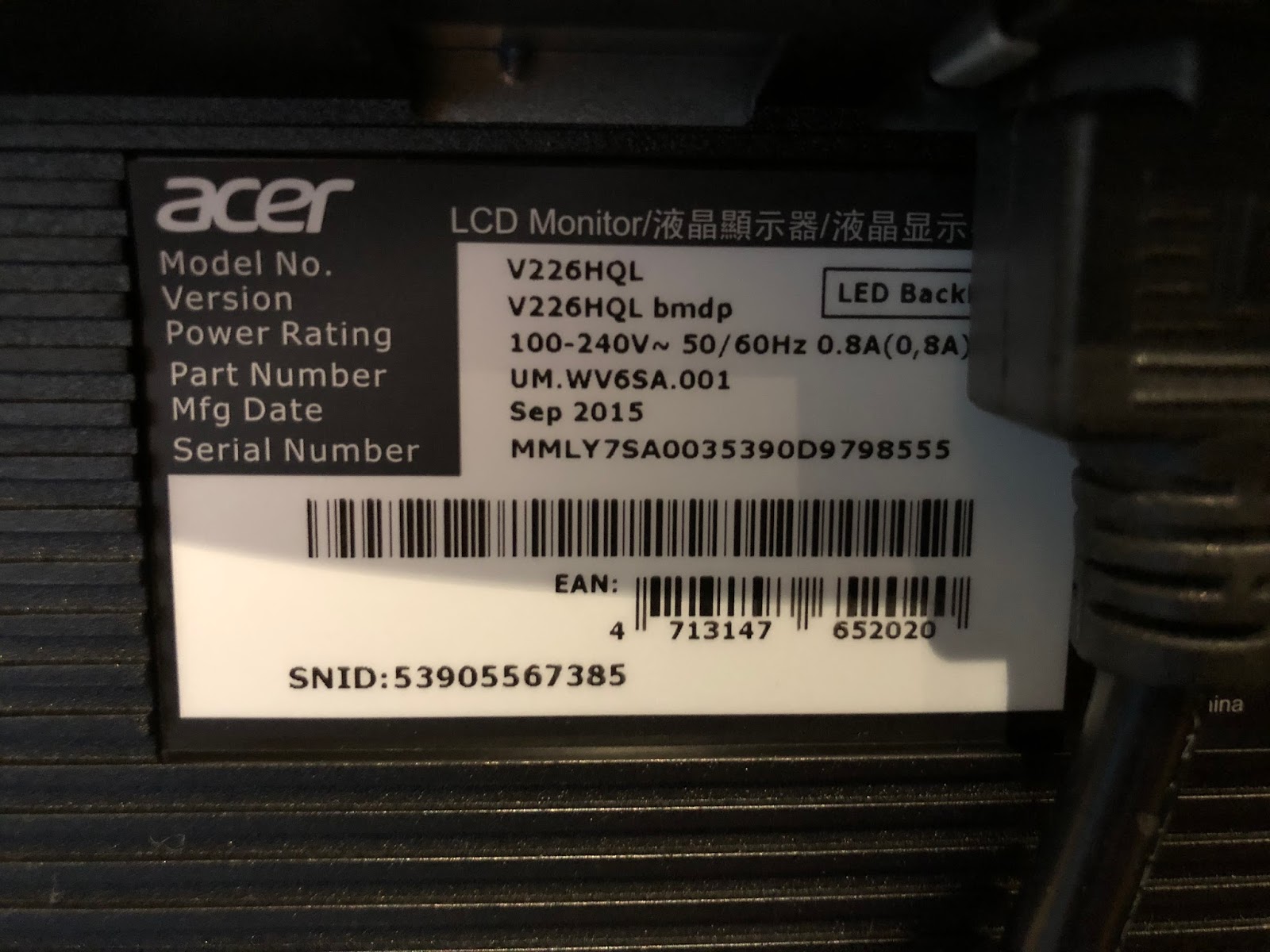
The model I got is a V226HQL model, with the exact information taken from the screen for your reference if you want to get one yourself. Even though I bought this new in it's original box, it is a few years old. I have seen others on Facebook using ones made in early 2017 that work also:

Of course, the Amiga uses a non-standard 23 pin RGB connector, intended for connection to Commodore CRT 1084(S) / 1940 or 1960 monitors. These take up a lot of room and the non-flat displays are very small in this day and age.

To connect the Acer screen to the Amiga, I needed a RGB to VGA converter. This is not a scandoubler - it just converts the existing 15khz signal from RGB to VGA.

These are easy enough to come by on Ebay, but check carefully to get ones that have a REAL 23pin connector, rather than a DIY hacked 25 pin connector on them. Generally sellers try to hide the fact they hack the connectors to make them fit a standard Amiga RGB connection since 23pin connectors are not exactly easy to come by these days. Check the photos carefully and read the seller feedback.

I found a seller on Ebay who makes these converters (from Canada actually), using the right 23 pin RGB connector. I ordered 3 of them!

Here is the converter I received last week:


As you can see it looks well made and the connectors are perfect - here is the RGB connector side:


And here is the VGA connector side:


Since I happened to have the Amiga 1200 out at the time, I decided to try it on that system first. Technically I don't need it since I have an Indivision AGA installed in it already, but hey, why not check it anyway! Here it is connected to the A1200:


On power on I held down both mouse buttons to get the early boot screen, which appeared on the Acer screen straight away! I then brought up the screen mode info screen to confirm it is indeed running at 15khz!!


The screen does promote the screen to this slightly odd 1440x288 screen mode, but it looks fine and the aspect seems ok too. I tried modifying the usual fill screen/aspect control to adjust it to 4:3, but it doesn't change the screen. So the resolution is what it is, but as I said, it displays fine from what I could see.


I moved the screen to a better place since it seemed to be working fine:


I then decided to try a different Amiga. I hooked up the Amiga 600 next. As with the A1200, I already have a Indivision ECS installed in the A600, so technically it doesn't need this screen either.

You can see it installed here, with the MAS player hardware (for MP3 playback) also installed in the back of the A600:


As you can see, the output from the RGB port at 15khz to the Acer screen works fine on the A600 also:


Something to remember though is that because it is native 15khz output that is not scan doubled or flicker fixed, any interlace modes will flicker the screen, the same as all Amigas do on the 1084S monitor or tv output.

Running Bomb's E255 demo on the A600 looked great on the Acer screen:


Next up I hooked up the Amiga 1000, one of the systems I wanted to get this screen for. Unlike the other Amigas I don't have a Indivision ECS installed or a scandoubler connected to it. It needs this screen, and so I was very excited to try it out. As you can see the Kickstart screen came up fine on the Acer:


I did hit some trouble here with the Amiga 1000 though. For some reason when I booted any kickstart disk, the system wouldn't display the Insert Workbench disk screen and instead hung on a black screen. The screen was displaying something, but the system wasn't responsive.

As a test I removed the converter from the RGB port so there was no display. I then booted from the kickstart disk and the machine was clicking the drives so I knew it was at the Workbench boot screen. I connected the RGB to VGA converter at this point and the display appeared and worked perfectly!


Strange behaviour though. It only seems to happen on the Amiga 1000. I tried 1.0, 1.1, 1.2 and 1.3 kickstarts and also all three converters I bought and they all do the same thing. Having plugged in the RGB to VGA converter after the Insert Workbench disk screen appeared, it did work perfectly on the A1000 though - here is Digital Innovation demo running nicely through the Acer on the A1000 at 16khz? Strange huh?


I guess the 16khz is what causes the problems but really don't understand that one. If anyone knows what is happening here please let me know.


Maybe it is just my Amiga 1000 - dunno.


Last, but not least, I connected my CDTV to the Acer screen. It also doesn't have a Indivision ECS scandoubler installed, and until now I use the AV out to connect it to a TV, or my HDMI upscaler to convert the signal to display on my HDMI LCD screens. Now though, I can connect the CDTV directly from the RGB port to this new Acer screen since it can accept the 15khz output. As expected, once powered on it worked great:


I fired up the rather excellent Rink A Pink demo, booting via floppy and it worked great on the Acer too:


Close up photo shows the output is 15khz:


Since I can use it great on the CDTV, I decided to leave it setup for now and played some tunes from the Immortal 4 CD while preparing this blog post.


There is a useful wiki that lists all the 15khz compatible models that people have tried out, which includes the one I covered here today. You can read it here.

It is great that we have options in 2017 to output our ~30 year old Amiga systems to modern screens, still supporting the 15khz output required! If I had more room I would buy more screens now that I know they work, but things are tight in here these days space wise. I might get one more though as a backup...


Saturday, 8 November 2014

Icaros Desktop 2.0 on Acer AspireOne ZG5 Netbook

This past week we finally see released the new Icaros Desktop 2.0 upgrade (AROS), so I was keen to try it out on my existing Icaros 1.5.4 installed netbook (I showed this at AmiWest 2014) - the Acer AspireOne ZG5.


You can download the Icaros Desktop 2.0 Live DVD from here. The Dvd includes everything you need to get a usable Icaros system on an x86 PC, including a large array of applications and utilities included! (You can click on any image to expand it for more detail)


Icaros is an alternative to AmigaOS4 and MorphOS as a Next Generation Amiga operating system - unlike the other two I mentioned it runs natively on a standard x86 PC.

You can just boot the Live DVD to try it out on your x86 PC system - you don't have to install it to hard disk until you have tested it out and are ready to do so. It is free to download and use!

The next photo shows a closer view of the Acer Netbook running the Icaros Desktop 2.0 live DVD from external dvd drive connected to the netbook via USB.


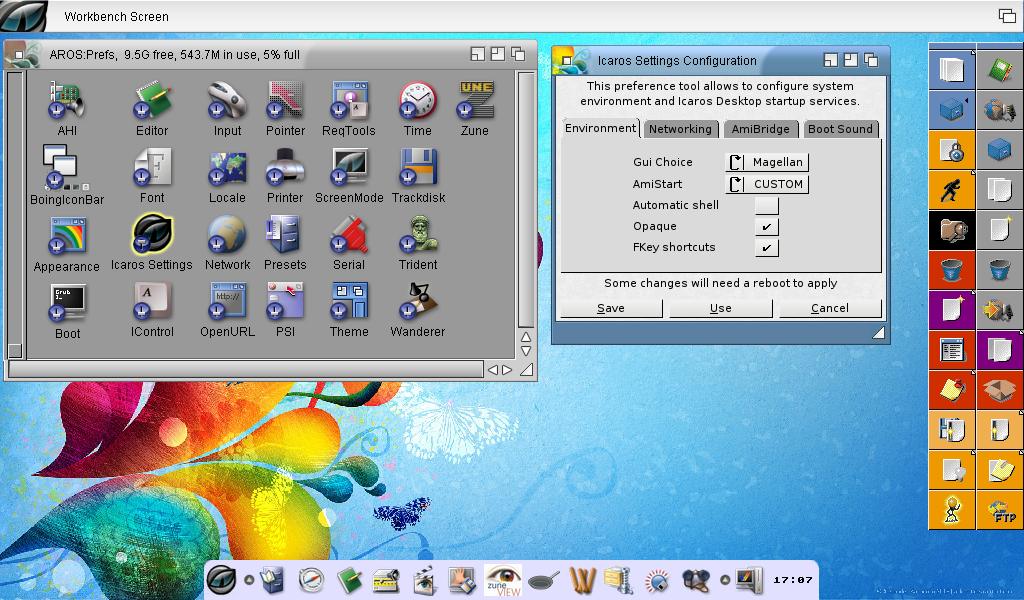
After installing Icaros Desktop 2.0 onto the hard disk using the InstallAROS icon on the desktop (which wiped the previous 1.5.4 installation - it does prompt you before it does it!), you then get a nice new Icaros Desktop using Directory Opus 5.9 Magellan as the Desktop, rather than the previously used Wanderer UI.

This is a great move in my opinion - I definitely prefer the Dopus 5.9 Magellan UI to Wanderer.

Since it is Directory Opus 5.9, I can easily change the drawer views to Icon Action (Right click, View As > Icon Action), creating the familiar DOpus interface for easy file management under Icaros:


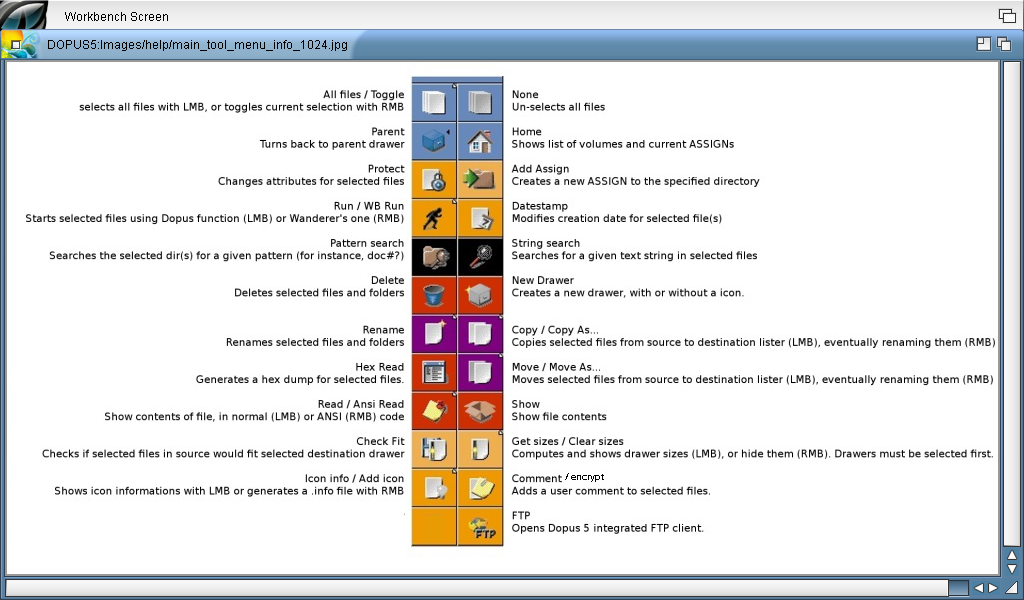
There is also a modified Directory Opus toolbar on the right hand side with common operations - the distribution thoughtfully includes a icon on the bottom left of the toolbar that explains what the icons do:


One of the new applications included in the Icaros Desktop 2.0 Live DVD is Zune View, which allows thumbnail view of images, and simple graphical operations on images such as Resize, crop, Rotate, Flip, Color correction and more:


The Dock icon bar from previous versions of Icaros is still present in it's latest incarnation, allowing easy access to all programs installed without having to navigate through the drawers via Directory Opus:


Helpfully included in the installation of Icaros Desktop 2.0 is an 82 page Manual, which I was reading while listening to the example MP3 music file included in MyWorkspace vis MPlayer.


MyWorkSpace is a bit like the Windows Library folder concept under a user's home folder, with Music, Videos, Pictures, etc, subfolders under MyWorkspace for easy access. In addition to a shortcut on the desktop, each of these subfolders also has an Assign, eg. Pictures: which allows quick access from file requestors.

Next I wanted to try out the DiskImageGUI, which I have used heavily on AmigaOS3 and AmigaOS4, but not on Icaros before. It works exactly the same and works out of the box - below I mounted a CD iso file and also an old Amiga Computing cover disk to prove it works:


You don't have to use the DiskImageGUI though to mount images - you can also right click on an ISO in the Directory Opus listers to mount as ICD0 for example - very convenient. I mounted a CU Amiga CoverCD ISO this way:


Straight away the CD icon appears, ready to open up:


Being a big fan of Amiga (and other) modules, I next fired up HarmonyPlayer on Icaros Desktop 2.0 to play some tunes:


I can't imagine why you would want to, but in the prefs under Icaros Settings there is the option to change the Desktop back to the Wanderer GUI rather than the new Directory Opus 5.9 Magellan default:


At the moment I haven't got network support working, so I can't show off the internet applications yet - once I work it out I certainly will though. Networking worked out of the box with Icaros 1.5.4 on this machine so not sure what the issue is yet. Seems some other people are having network issues too. I am keen to try out the IndieGoGo App store included with this release once resolved...

Update 14/11: I have now fixed the networking issue - I needed to use the wireless Atheros 5000 driver to get the wireless networking working - all good now.

You can download software for AROS from a number of places, such as The AROS Archives here as a starting point, the AROS community forums at AROS-Exec and some interesting game developments on AROS too via AROS Gamer.

Next up on Icaros I played Putty Squad, which is an AGA game unreleased until recently by System 3 after being shelved in completed state and not released for 20 years! There is a link to it included in the Icaros Desktop 2.0 Dock icon:


This game is launched using the Janus-UAE 1.4 environment in Icaros, which presents the configuration GUI prior to starting the program - it is setup as a standard Amiga 1200 AGA computer emulation in this example - you can modify the configuration in the tabs as needed to fine tune:


When I click Start, Putty Squad loads up and runs:


On the emulation front, plenty of system emulators are included in the Icaros Desktop 2.0 Live DVD, including VICE, the Commodore 64 emulation. I had to try this out:


I ran the included D64 included with the distribution, which works - the emulation runs at or near 100% while running:


There is a lot of technical changes under the covers (like ABI0 to ABI1), but this doesn't mean much at all to me as an end user - although I am sure it is probably a good thing! I am glad they are improving Icaros, and it is great to see a new release in 2014.


There is still plenty more to explore and setup yet as I just got started with it (especially I need to play more with Amibridge and the Co-existence functionality as I haven't set it up properly yet). But hopefully this gives you a small taste of Icaros Desktop 2.0.